The last BimlExpress update was in 2019. BimlExpress is not compatible with the newest versions of Visual Studio, and there are also issues with BimlExpress in the last compatible version of Visual Studio. Varigence has not made any statements about the future of BimlExpress, and have not responded to any forum posts or support tickets for years. Because of this, my time as a BimlHero and Varigence Partner is over. In my personal opinion, Biml is dead, and I can no longer recommend anyone to use it. My old Biml content will be available, but archived.
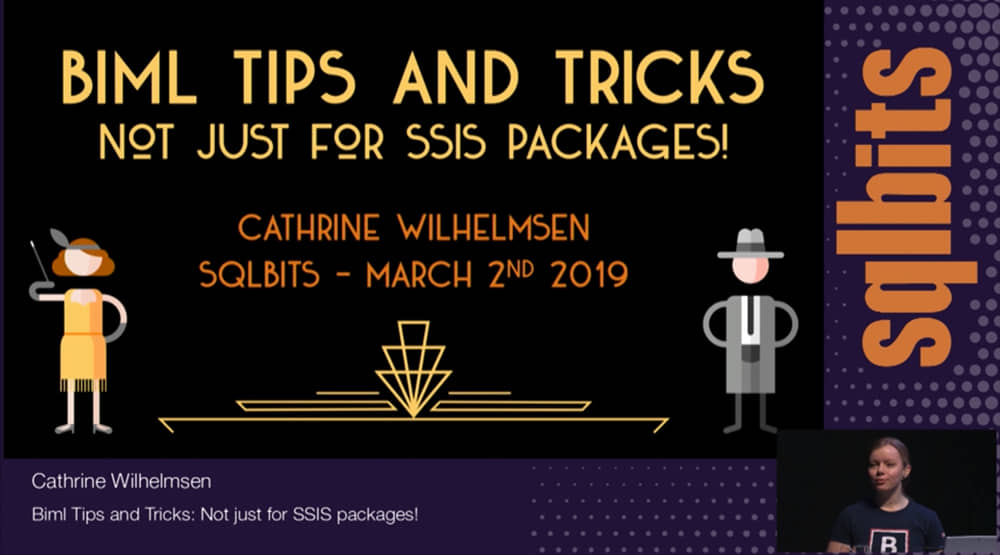
At SQLBits 2019, I presented my Biml Tips and Tricks: Not Just for SSIS Packages! session. The session recording has been available for many months, but I only just now realized I never blogged abut it 😊 You can view the slide deck on my SlideShare and download my Biml Demos if you want to dig into my code examples.
Biml Tips and Tricks: Not Just for SSIS Packages! Session Recording
You can increase or decrease the speed, enable closed captioning, and even download the video for offline viewing.
(If you want a laugh, I recommend watching in 2x speed with the not-quite-accurate captions. You’ll see gems like “This is Bemmel. Tips and tricks not just for exercise packages!” 🤣)
In a previous blog post, we looked at how to generate SQL using Biml. (If you haven’t read that post, you may want to start there and then come back here.) In this post, we will go through how to generate SELECT statements using the Biml column method GetColumnList.
Using Biml column methods
Biml column methods return code fragments. These code fragments can be used as building blocks to generate custom T-SQL statements. For example, the GetColumnList method returns a list of columns, separated by commas, that you can use in a SELECT statement. You can filter the columns and customize the output by passing parameters.
Examples of GetColumnList code fragments
If you have a table with three columns, the default output will look something like this:
[PersonID], [FirstName], [LastName]
But what if you don’t want to select all three columns? Or what if you want to use an alias for your table? No problem! The customized output can look something like this instead:
p.FirstName, p.LastName
We will go through the different ways of customizing the output a little later in this post.
The first T-SQL Tuesday of 2019 is hosted by Garry Bargsley (@gbargsley), and the topic is “Automate All the Things”. Garry wants to know what this phrase means to each of us. What do we want to automate? What is our go-to technology for automation? To me, this was super easy. Surprise, surprise! It’s Biml, of course 🤓 Since this post is part of T-SQL Tuesday, I wanted to go back to the basics and write about how you can generate SQL using Biml. But first, a little bit of background for those who are not that familiar with Biml.
In a previous blog post, we looked at how to use C#/VB Code Files in Biml. There are several benefits to moving custom C# code into separate files. It allows you to reuse that code across multiple projects and solutions. You can maintain the code in your editor of choice, taking advantage of intellisense and syntax highlighting. And finally, my personal favorite: you can create custom extension methods.
In this post, we will look at how to simplify our Biml projects by creating and using C# extension methods. We will build on the examples from the previous C#/VB Code Files in Biml blog post.
As of July 2018, there is no built-in Biml support for OData. To work with OData in Biml, you have to create a custom source and connection manager. This requires more Biml code than built-in functions like OleDbSource and may look a little overwhelming at first. But don’t worry! You don’t have to start from scratch.
In this blog post, we will first look at the properties of the OData Connection Manager and how to script it in Biml. Then, we will do the same for the OData Source. Finally, we will tie it all together and create a complete SSIS package that you can use a starting point for your own projects.
Biml objects have many built-in attributes. For example, all Tables have SchemaName and all Packages have ProtectionLevel. When your Biml solution starts to grow, you will quickly see the need for adding additional metadata that can be used in other Biml files. A common use case in Data Warehouse Staging projects is to store the source schema and source table name on your staging table objects. This allows you to use the source metadata in a higher tier Biml file that generates the SSIS packages to load the tables. To store and use this additional metadata, you can use Biml Annotations or ObjectTags.
Biml Annotations and ObjectTags are both Key/Value pairs. Annotations are String/String pairs intended for storing simple text metadata, while ObjectTags are String/Object pairs that can also store more complex metadata in .NET objects.
Many Biml solutions start off very simple, with just a single Biml file that generates a few SSIS packages. Most developers quickly see the need for a more complex solution for multiple sources. One way to reuse code and apply the Don’t Repeat Yourself software engineering principle in Biml is to use Tiered Biml Files.
In addition to using Tiered Biml Files, there are four other main ways you can avoid repeating your Biml code:
Woohoo! The Biml Book: Business Intelligence and Data Warehouse Automation is now available for pre-order from Amazon and Apress! 🥳
This is the first book I’ve co-authored, and I have to admit it’s a very strange feeling to see my name on the cover of a book. Am I allowed to say I’m quite proud? Oh, I’ll say it anyway. I’m proud and very honored to have written this book with such a talented group of people: Andy Leonard (@AndyLeonard), Scott Currie (@scottcurrie), Ben Weissman (@bweissman), Bill Fellows (@billinkc), Martin Andersson (@frysdisken), Peter Avenant (@PeterAvenant), Simon Peck (@biguynz), Reeves Smith (@SQLReeves), Raymond Sondak (@raymondsondak) and Jacob Alley.
Are you tired of right-clicking on your Biml files to Check Biml for Errors or to Generate SSIS Packages? Did you know that you can create your own BimlExpress Keyboard Shortcuts? 🤓
BIDS Helper and BimlExpress do not support creating SSIS project parameters from Biml out of the box. There are workarounds (and I have previously blogged about my solution for creating project parameters from Biml), but why is this not a standard feature in BIDS Helper or BimlExpress? Many people have asked about this, so I sat down with Biml creator Scott Currie (@ScottCurrie) to get the full story.
Why doesn’t BIDS Helper or BimlExpress emit SSIS project parameters from Biml?
Well, technically it could, but it shouldn’t. The user experience would have serious issues, leading to confusion, frequent errors, and the potential for data loss. How can that be?
Say welcome to BimlExpress - the newest, shiniest and completely free Biml toy! 🥳 I first mentioned this at SQLSaturday Vienna 2016 and have been waiting for the official release since then. I’m very happy that I can now send you all over to Varigence’s website to download the Visual Studio Extension!
What is BimlExpress?
BimlExpress is a free Visual Studio add-in for working with Biml in your SSIS projects. You can add and edit Biml files, and generate SSIS packages from Biml. The code editor has syntax coloring, error highlighting, Intellisense and a preview pane.
If you are already using BI Developer Extensions (previously known as BIDS Helper), you will see that BimlExpress is similar. You will find all the same Biml features as in BI Developer Extensions - just with a new and improved code editor. No more squiggly red lines, yay!
Which versions of Visual Studio does BimlExpress work with?
BimlExpress 2019 was released in May 2019. It works with Visual Studio 2010 - 2019.
BimlExpress 2018 was released in June 2018. It worked with Visual Studio 2010 - 2017.
BimlExpress 2017 was released in July 2017. It worked with Visual Studio 2010 - 2015.
In April 2015 I set a goal to become a Certified Expert in Biml. On February 1st, 2016, I became the second BimlHero in the world - the first woman and the first in Europe 🤓
It has been a long journey, and I have loved every part of it! Varigence announced the certification program in March 2015, and in April I decided to go for it. I was accepted into the program, and in June I attended 8 hours of advanced training. I spent the next six months working on my Biml solution. I was unable to work full-time on it due to other tasks and responsibilities at work, so I spent quite a lot of time on it at home as well. In November I completed the BimlHero Certified Expert Test, and in December I submitted my Biml solution and my case study of how I implemented the solution at work. In January Varigence reviewed my test, solution and case study, and in February I had the final code review with Scott Currie. It was very nerve-wracking having the creator of Biml go through my code! 😅 But I received lots of useful feedback and finally a congratulations on passing and becoming a BimlHero.
Do you use C#/VB classes and methods in your Biml projects? One solution is to create class nuggets <#+ … #>, but they can only be used in their containing Biml file. You can move class nuggets to separate files and include those files, but a more elegant solution is to use C#/VB Code Files.
In addition to using C#/VB Code Files, there are four other main ways you can avoid repeating your Biml code:
Are you using Biml so you won’t have to do the same tasks over and over and over again in multiple SSIS packages? If so, you probably don’t want to write the same Biml code over and over and over again either. Instead, you can move common code to separate files, centralize and reuse these files in many projects, and update code in one file to make changes to all projects. One of the ways to apply this Don’t Repeat Yourself software engineering principle in Biml is to use Include Files.
In addition to using Include Files, there are four other main ways you can avoid repeating your Biml code:
If you are using BIDS Helper or BimlExpress to generate SSIS packages in the Project Deployment model, you have probably noticed that it is not possible to create project parameters from Biml. You can write Biml for the project and project parameters, but BIDS Helper / BimlExpress will only generate the SSIS packages for you and not the SSIS project parameters. The recommended solution is that you create the project parameters manually before you generate your SSIS packages from Biml.
However, if you are a lazy developer like me, you probably don’t want to create and update project parameters manually. Perhaps you want to automatically create or update project parameters based on some metadata? You can do that!
Let’s take a look at a (semi-hardcoded, semi-hack) solution for creating SSIS project parameters from Biml in BIDS Helper / BimlExpress 🤓
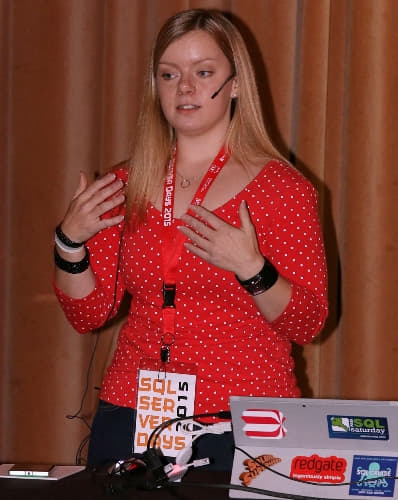
Last week I visited Belgium for the first time to attend and speak at my first SQL Server Days 2015. It was a truly great event, and I would like to say a huge thank you to the organizers and volunteers for making it a wonderful couple of days for speakers and attendees!
The venue was spectacular, but unfortunately none of my pictures do it justice. Take a look at the great pictures on the SQL Server Days Facebook page instead. I loved the huge open area in the middle where everyone could meet during breaks, and I was so happy there was unlimited coffee and chocolate! 🤩 The rooms were all unique and fun to present in. One room looked like a library, another like a bar, and I presented in the room that was decorated like a train station - with trains in it!
One of the main tasks in Biml projects is to import source metadata. The recommended method is GetDatabaseSchema. This method returns an ImportResults object that contains SchemaNodes (schema metadata) and TableNodes (table and view metadata).
Are you using Biml so you won’t have to do the same tasks over and over and over again in multiple SSIS packages? If so, you probably don’t want to write the same Biml code over and over and over again either. Instead, you can move common code to separate files, centralize and reuse these files in many projects, and update code in one file to make changes to all projects. One of the ways to apply this Don’t Repeat Yourself software engineering principle in Biml is to use CallBimlScript.
In addition to using CallBimlScript, there are four other main ways you can avoid repeating your Biml code:
Back in June I did a #SQLHangout with Boris (@brshristov) about Biml that I called “Blabbering about Biml”. (Boris is much nicer, he called it “Biml. An Introduction.”)
Yesterday we did another episode called SQLHangout #26 - Biml in the Real World. This time we were joined by João Lopes (@SQLSniper), Rasmus Reinholdt (@RasmusReinholdt) and Régis Baccaro (@regbac) - great guys that I admire. It was interesting to hear how we use Biml in different ways and what we would like to see happen in 2015. I look forward to seeing all of them again and learn from their experiences!
Five people from Bulgaria, Denmark, Portugal and Norway talking about Biml - isn’t that awesome? 🤓
When Boris (@brshristov) invited me to a SQLHangout I was really honored and couldn’t say no. It’s such a fun idea and I’ve really enjoyed watching the other SQLHangouts. It’s great to see people’s personalities shine through in videos instead of only reading their blog posts, and I learn something new.
I suggested to chat about Biml, something I’ve only recently begun learning myself that has already saved me many hours of work. I still have so much to learn, but the fact that it took me about 20 hours to learn something new that has saved me and my coworkers hundreds of hours already… That’s worth sharing. If I can do it, you can do it!
Boris named the video “Biml. An introduction.” I thought a more appropriate name was “Blabbering about Biml” 🤓
(“Oh hi!”)
I forgot to mention their names, but thank you to Julie Smith (@JulieChix) and André Kamman (@AndreKamman) for inspiring me to learn more Biml in their SQLSaturday sessions in Tampa and Copenhagen! 😊
At work we wanted to start using Biml to speed up development in our existing projects without making too many changes at once. I decided to start by writing Biml files that generates SSIS packages exactly like the ones we already have so we can implement changes faster, and step one was to figure out how to create Package Configurations and Connection Managers in Biml:
Create an XML configuration file Package Configuration
Create the Connection Manager specified in the XML configuration file
Create SQL Server Package Configurations that use the Connection Manager specified in the XML configuration file
Create Connection Managers specified in the [SSIS Configurations] table in SQL Server
The table below is a simplified mapping between SQL Server, SSIS and Biml Data Types. It does not include all possible mappings or all data types, but is meant as a quick reference while developing and learning Biml. I mainly created it as a cheat sheet for myself, but I hope other Biml developers will find it useful!
Can't remember this post's URL? Neither can I 😅 You can use this short URL instead: cathrinew.net/BimlDataTypes
Cheat Sheet for SQL Server, SSIS and Biml Data Types
SQL Server
SSIS
Biml
bigint
DT_I8
Int64
binary
DT_BYTES
Binary
bit
DT_BOOL
Boolean
char
DT_STR
AnsiStringFixedLength
date
DT_DBDATE
Date
datetime
DT_DBTIMESTAMP
DateTime
datetime2
DT_DBTIMESTAMP2
DateTime2
datetimeoffset
DT_DBTIMESTAMPOFFSET
DateTimeOffset
decimal
DT_NUMERIC
Decimal
float
DT_R8
Double
geography
DT_IMAGE
Object
geometry
DT_IMAGE
Object
hierarchyid
DT_BYTES
Object
image (*)
DT_IMAGE
Binary
int
DT_I4
Int32
money
DT_CY
Currency
nchar
DT_WSTR
StringFixedLength
ntext (*)
DT_NTEXT
String
numeric
DT_NUMERIC
Decimal
nvarchar
DT_WSTR
String
nvarchar(max)
DT_NTEXT
String
real
DT_R4
Single
rowversion
DT_BYTES
Binary
smalldatetime
DT_DBTIMESTAMP
DateTime
smallint
DT_I2
Int16
smallmoney
DT_CY
Currency
sql_variant
DT_WSTR
Object
text (*)
DT_TEXT
AnsiString
time
DT_DBTIME2
Time
timestamp (*)
DT_BYTES
Binary
tinyint
DT_UI1
Byte
uniqueidentifier
DT_GUID
Guid
varbinary
DT_BYTES
Binary
varbinary(max)
DT_IMAGE
Binary
varchar
DT_STR
AnsiString
varchar(max)
DT_TEXT
AnsiString
xml
DT_NTEXT
Xml
(*These data types will be removed in a future version of SQL Server. Avoid using these data types in new projects, and try to change them in current projects.)