Skip to content

Tag: Azure Synapse

Participating in the Microsoft Fabric AMA (Ask Me Anything) hosted by MDPUG Norway

On Wednesday, June 21st, 2023, I will be participating in the Microsoft Fabric AMA (Ask Me Anything) hosted by Microsoft Data Platform User Group Norway.

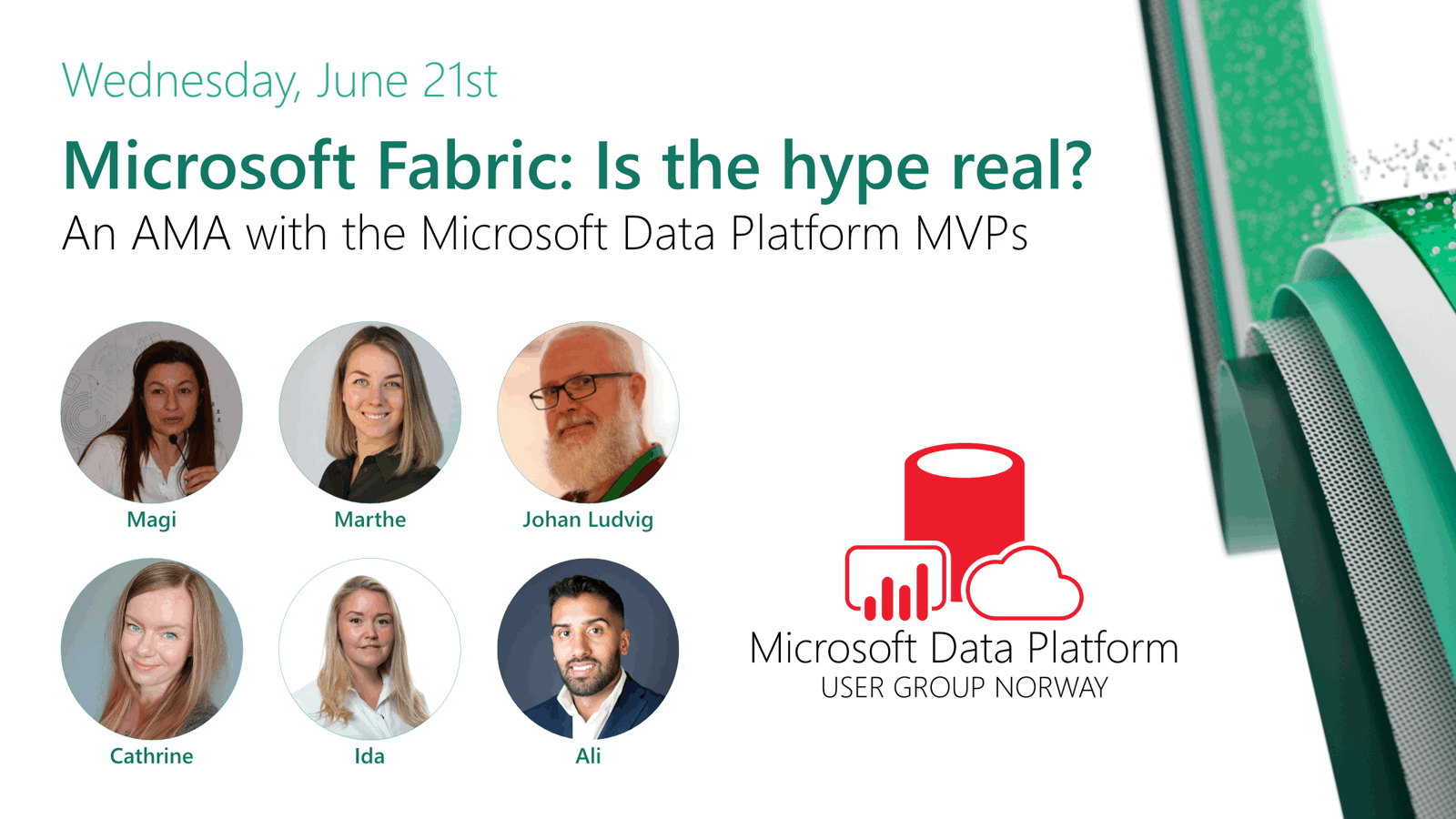
Speaker card showing Cathrine Wilhelmsen and the other MVPs participating in the Microsoft Fabric AMA.

Microsoft Fabric was launched in public preview in May. It was called the greatest invention since SQL Server and promises to simplify analytics for everyone. Microsoft used Build, one of its flagship events, to launch Microsoft Fabric to much fanfare - and surrounded by lots of hype. But is the hype real?

Register for the event on Meetup πŸ€“

Microsoft Fabric AMA (Ask Me Anything) with ALL the Norwegian MVPs!

For the first time ever, all the Microsoft Data Platform MVPs from Norway will be on stage together. I’m so excited! 🀩 We have all kinds of backgrounds, experiences, perspectives and opinions, and this is your chance to ask all your difficult questions. Or all your basic questions, there are no “dumb” questions!

You’re also welcome to join us for a little summer gathering after the event. We’ll enjoy something cold to drink, chat, network, and have fun! Hope to see you there πŸ₯³

Solving FizzBuzz using SQL

Script icon.

This week, my coworkers and I were given a fun challenge. Using any tool or language, solve FizzBuzz! πŸ€“ Then present and explain the solution to the rest of the team. This was a fun challenge because our team is a mix of junior-to-senior developers and data professionals, working with everything from SQL to Python to C# to DAX to PowerShell. Those who had never solved FizzBuzz before got the chance to do so, while those who had already solved it got the chance to try again using a different tool or language.

While working on my solution, I ended up searching my own website for a post I wrote years ago: Using a Numbers Table in SQL Server. It gave me a nudge to share my FizzBuzz process and solution as well, even if there are a bazillion solutions already out there. I keep telling others to share what they do and learn, so this time I’m actually going to take my own advice. Go me! πŸ˜„

The FizzBuzz Challenge

FizzBuzz might be one of the most common programming challenges. The goal is to list all numbers from 1-100, but if a number is divisible by 3 you replace it with Fizz, if a number is divisible by 5 you replace it with Buzz, and if a number is divisible by both 3 and 5 you replace it with FizzBuzz:

  1. 1
  2. 2
  3. Fizz
  4. 4
  5. Buzz
  6. Fizz
  7. 7
  8. 8
  9. Fizz
  10. Buzz

…and so on.

Solving FizzBuzz in SQL

My first idea was to simply insert all values into a table and do a SELECT *, but I also wanted to actually solve the challenge πŸ˜‚

Step 1: List all numbers from 1-100

I came up with three approaches using ROW_NUMBER() to list all numbers from 1-100.

My first approach was to query sys.all_objects:

SELECT TOP (100)
  ROW_NUMBER() OVER (ORDER BY (SELECT NULL)) AS n
FROM sys.all_objects
ORDER BY n;

This felt a little too quick and dirty, though.

Next, I wanted to see if I could list the numbers without querying a table/view. At this point, I had the idea of a numbers table (or tally table) in my mind, since I have used and blogged about it in the past. I just couldn’t remember the syntax! πŸ˜… So I boiled my logic down to “let’s just create 10 x 10 rows”. By using VALUES, I created two virtual tables with 10 rows (each containing the value 1), then cross joined the two tables:

SELECT
  ROW_NUMBER() OVER (ORDER BY (SELECT NULL)) AS n
FROM (
  VALUES (1), (1), (1), (1), (1), (1), (1), (1), (1), (1)
) AS t1(n)
CROSS JOIN (
  VALUES (1), (1), (1), (1), (1), (1), (1), (1), (1), (1)
) AS t2(n)
ORDER BY n;

Finally, I looked up my numbers table syntax:

WITH
  L0   AS (SELECT 1 AS n UNION ALL SELECT 1),              -- 2 rows
  L1   AS (SELECT 1 AS n FROM L0 AS a CROSS JOIN L0 AS b), -- 4 rows (2 x 2)
  L2   AS (SELECT 1 AS n FROM L1 AS a CROSS JOIN L1 AS b), -- 16 rows (4 x 4)
  L3   AS (SELECT 1 AS n FROM L2 AS a CROSS JOIN L2 AS b), -- 256 rows (16 x 16)
  L4   AS (SELECT 1 AS n FROM L3 AS a CROSS JOIN L3 AS b), -- 65 536 rows (256 x 256)
  L5   AS (SELECT 1 AS n FROM L4 AS a CROSS JOIN L4 AS b), -- 4 294 967 296 rows (65 536 x 65 536)
  Nums AS (SELECT ROW_NUMBER() OVER (ORDER BY (SELECT NULL)) AS n FROM L5)
SELECT TOP (100) 
  n 
FROM Nums 
ORDER BY n;

Step 2: Replace numbers with Fizz, Buzz, or FizzBuzz

Once I had figured out how to list the numbers, I needed to replace the numbers with Fizz, Buzz, and FizzBuzz. The challenge here, in any programming language, is to understand how to check whether a number is divisible by another number, and to understand in which order things are evaluated.

In SQL, you can use the % (modulus) operator to return the remainder after dividing one number by another. If the result is 0, it means that it is divisible.

(Fun fact: The first time I encountered the modulus operator, I thought that it returned the digit(s) after the decimal symbol. As in, I thought that 10 % 4 would return 5 because 10 / 4 = 2.5. Imagine my surprise when it returned 2! Why 2? And then I realized that ohhh, it’s because you can only fully fit the number 4 two times inside 10, and then you have 2 remaining… What can I say, math is difficult enough in my first language! πŸ˜…)

The final step is to construct the CASE expression so that it evaluates FizzBuzz first:

WITH
  L0   AS (SELECT 1 AS n UNION ALL SELECT 1),
  L1   AS (SELECT 1 AS n FROM L0 AS a CROSS JOIN L0 AS b),
  L2   AS (SELECT 1 AS n FROM L1 AS a CROSS JOIN L1 AS b),
  L3   AS (SELECT 1 AS n FROM L2 AS a CROSS JOIN L2 AS b),
  L4   AS (SELECT 1 AS n FROM L3 AS a CROSS JOIN L3 AS b),
  L5   AS (SELECT 1 AS n FROM L4 AS a CROSS JOIN L4 AS b),
  Nums AS (SELECT ROW_NUMBER() OVER (ORDER BY (SELECT NULL)) AS n FROM L5)
SELECT TOP (100)
  CASE
    WHEN n % 3 = 0 AND n % 5 = 0 THEN 'FizzBuzz'
    WHEN n % 3 = 0 THEN 'Fizz'
    WHEN n % 5 = 0 THEN 'Buzz'
    ELSE CAST(n AS VARCHAR(3))
  END
FROM Nums
ORDER BY n;

Or, if you really just want that quick and dirty solution… 😁

SELECT TOP (100)
  CASE
    WHEN n % 15 = 0 THEN 'FizzBuzz'
    WHEN n % 3 = 0 THEN 'Fizz'
    WHEN n % 5 = 0 THEN 'Buzz'
    ELSE CAST(n AS VARCHAR(3))
  END
FROM (SELECT ROW_NUMBER() OVER (ORDER BY (SELECT NULL)) AS n FROM sys.all_objects) AS t;

Your Turn!

How would you solve the FizzBuzz challenge? Can you think of a completely different approach? Can you fix my code and make it better or prettier? Go on, do it, it’s fun! πŸ˜ƒ

Ingest and Explore LEGO Datasets using Pipelines and Serverless SQL in Azure Synapse Analytics

Woman standing next to a projector showing the Azure Synapse Analytics logo.

In the April session of the Azure Synapse Analytics and Microsoft MVP series, I got to show one of my favorite demos: ingesting and exploring LEGO datasets! πŸ€“ In just a few minutes, I grab a compressed file from the web, decompress it, store it as a Parquet file in my data lake, and run SQL queries on it using Serverless SQL. It really is that simple:

If you want to try this demo yourself, you can follow the detailed steps below. Have fun! πŸ˜ƒ

Failed to Subscribe / Failed to Activate Storage Event Trigger After Publishing in Azure Synapse Analytics

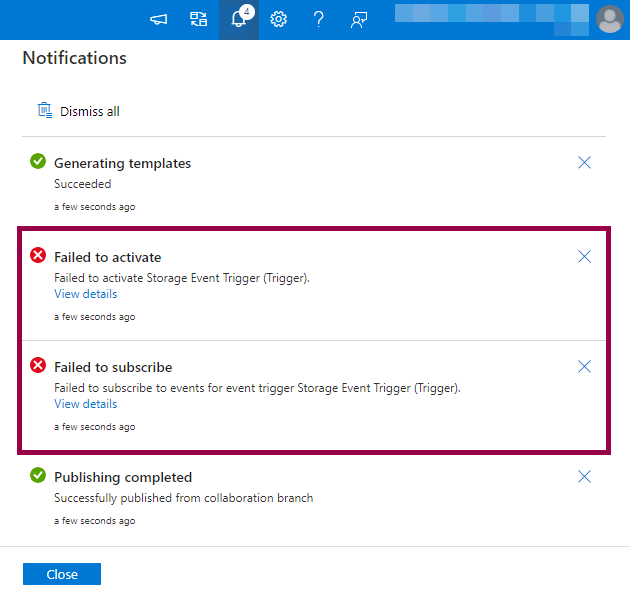
I ran into an issue today while trying to publish a storage event trigger in Azure Synapse Analytics. After publishing, I got error messages that said “failed to subscribe” and “failed to activate”. The storage event trigger had been published, but it wouldn’t start. Help! 😱

Screenshot of Azure Synapse Analytics notifications showing “failed to subscribe” and “failed to activate” errors.

(Skip to how I fixed the failed to subscribe / failed to activate errors πŸ‘‡πŸ»)

The Error Messages

The error messages hinted at access control or permission issues:

Connecting to HubSpot from Azure Synapse Analytics or Azure Data Factory

HubSpot logo.

I spent a couple of hours today figuring out how to connect to HubSpot from Azure Synapse Analytics. Since it wasn’t straightforward for me, I decided to blog about how I did it. Hopefully, this post can help one or two others (or future me!) save some time 😊

The HubSpot Linked Service

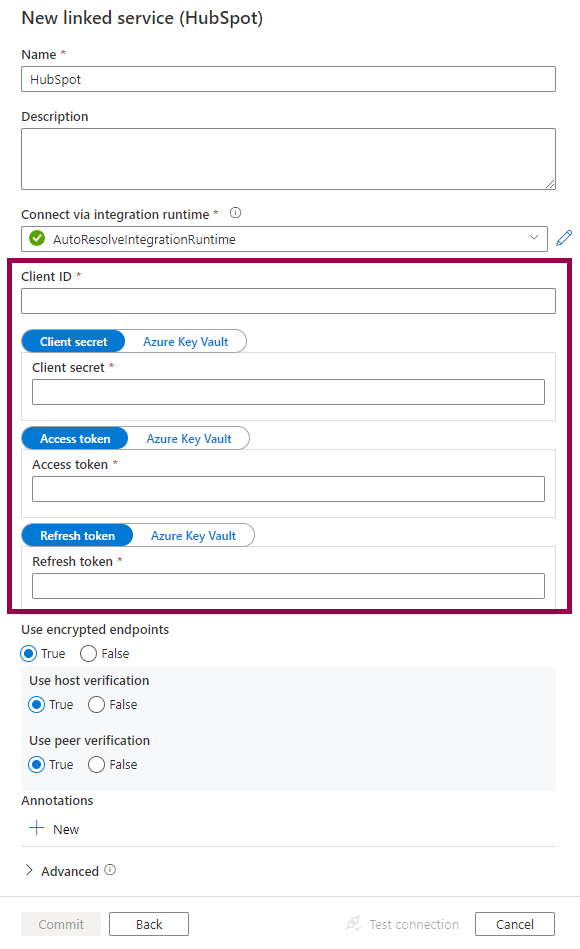
The Azure Synapse Analytics (or Azure Data Factory) linked service connects to HubSpot using a Client ID, Client Secret, Access Token, and Refresh Token:

Screenshot of the HubSpot linked service.

How do we get these values from HubSpot?

The overall process is to:

  1. Create a private app in HubSpot to get the Client ID and Client Secret
  2. Authorize the private app and get authorization code
  3. Exchange authorization code for Access Token and Refresh Token
  4. Create linked service in Azure Synapse Analytics or Azure Data Factory

Let’s dig into the details! πŸ€“

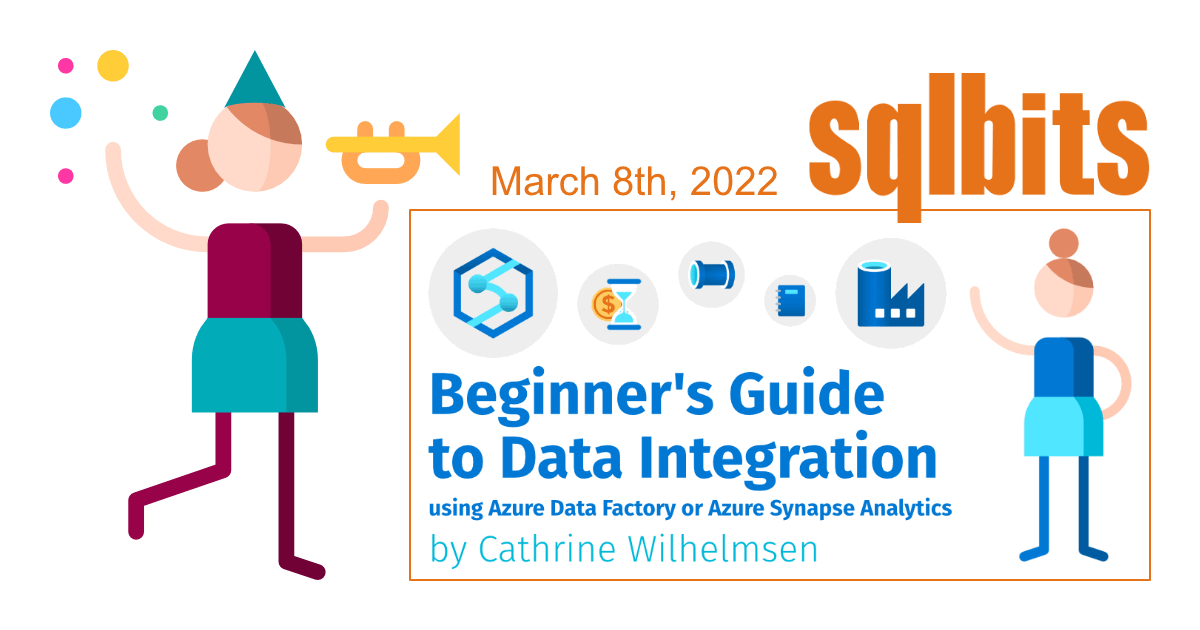
Training Day at SQLBits 2022: Data Integration using Azure Data Factory or Azure Synapse Analytics

Are you new to Azure Data Factory or Azure Synapse Analytics? Maybe you’re an expert SSIS developer wondering how to take that first step into Azure? Do you feel a little overwhelmed by all the possible ways you can move and transform data these days? Join me at the ExCeL London on Tuesday, March 8th, 2022! I will be delivering a training day at SQLBits 2022 called Beginner’s Guide to Data Integration using Azure Data Factory or Azure Synapse Analytics πŸ₯³

Person announcing the Beginner’s Guide to Data Integration using Azure Data Factory or Azure Synapse Analytics training day at SQLBits 2022.

My goal is to help kickstart your journey as an Azure Data Engineer, and for all of us to have a great and safe day of learning and networking. SQLBits are taking covid safety seriously by requiring proof of vaccination / tests, wearing masks, and ensuring proper spacing between seats. I will be there in-person and hope you will be able to join us too!

(Oh, and if you want to get the most out of your week at SQLBits? Check out Paul Andrew’s training day on Wednesday called Azure Data Integration Pipelines - Advanced Design and Delivery πŸ€“)

Ask the Experts: Data Integration in Azure Synapse Analytics (at Data Toboggan 2021)

On Saturday,Β June 12th, 2021, I will be moderating an Ask the Experts session at Data Toboggan! This is aΒ freeΒ event focusing on Azure Synapse Analytics. There are over twenty sessions and lightning talks scheduled, covering topics such as architecture, performance, tools, data integration, machine learning and much more.

If you have any questions about Data Integration in Azure Synapse Analytics (or Azure Data Factory), join us! You don’t want to miss this session πŸ€“

Data Toboggan logo showing a toboggan (sled) going down a hill.

Speaking at Global Azure Norway 2021

On Friday, April 16th, 2021, I will be speaking at Global Azure Norway! Global Azure is a virtual 3-day event where communities from around the world organize live streams that are open for everyone to join. All the live streams add up to one global event with more than 500 speakers and sessions, so you should be able to find something interesting πŸ€“

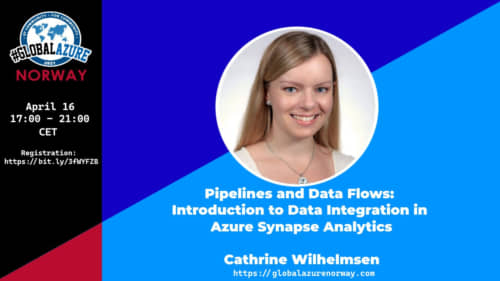
I will be presenting my session called Pipeline and Data Flows: Introduction to Data Integration in Azure Synapse Analytics. Do you want to learn about something else? You can find all the worldwide sessions on the Global Azure website, or the local sessions on the Global Azure Norway website.

Speaker card showing Cathrine Wilhelmsen presenting at Global Azure Norway.

Speaking at Data Toboggan 2021

On Saturday, January 30th, 2021, I will be speaking at the first Data Toboggan event! This is a free event focusing on Azure Synapse Analytics. There are 14 sessions scheduled in 12 hours, covering topics such as data integration, machine learning, data warehousing, data governance, and more. Join us πŸ€“

I will be presenting a session called Pipelines and Data Flows: Introduction to Data Integration in Azure Synapse Analytics.

Data Toboggan logo showing a toboggan (sled) going down a hill.