Are you using Biml so you won’t have to do the same tasks over and over and over again in multiple SSIS packages? If so, you probably don’t want to write the same Biml code over and over and over again either. Instead, you can move common code to separate files, centralize and reuse these files in many projects, and update code in one file to make changes to all projects. One of the ways to apply this Don’t Repeat Yourself software engineering principle in Biml is to use Include Files.
In addition to using Include Files, there are four other main ways you can avoid repeating your Biml code:
In this post we will look at how to use Include Files.
Happy New Year 2016! 🥳

2015 was a year of highs and lows for me. I did so many things for the first time and really pushed myself out of my comfort zone. I made new friends and grew closer to old friends. At the same time I struggled more than ever with my old enemies depression, insomnia, migraine and impostor syndrome. All in all, I guess you can call it “life” 😊
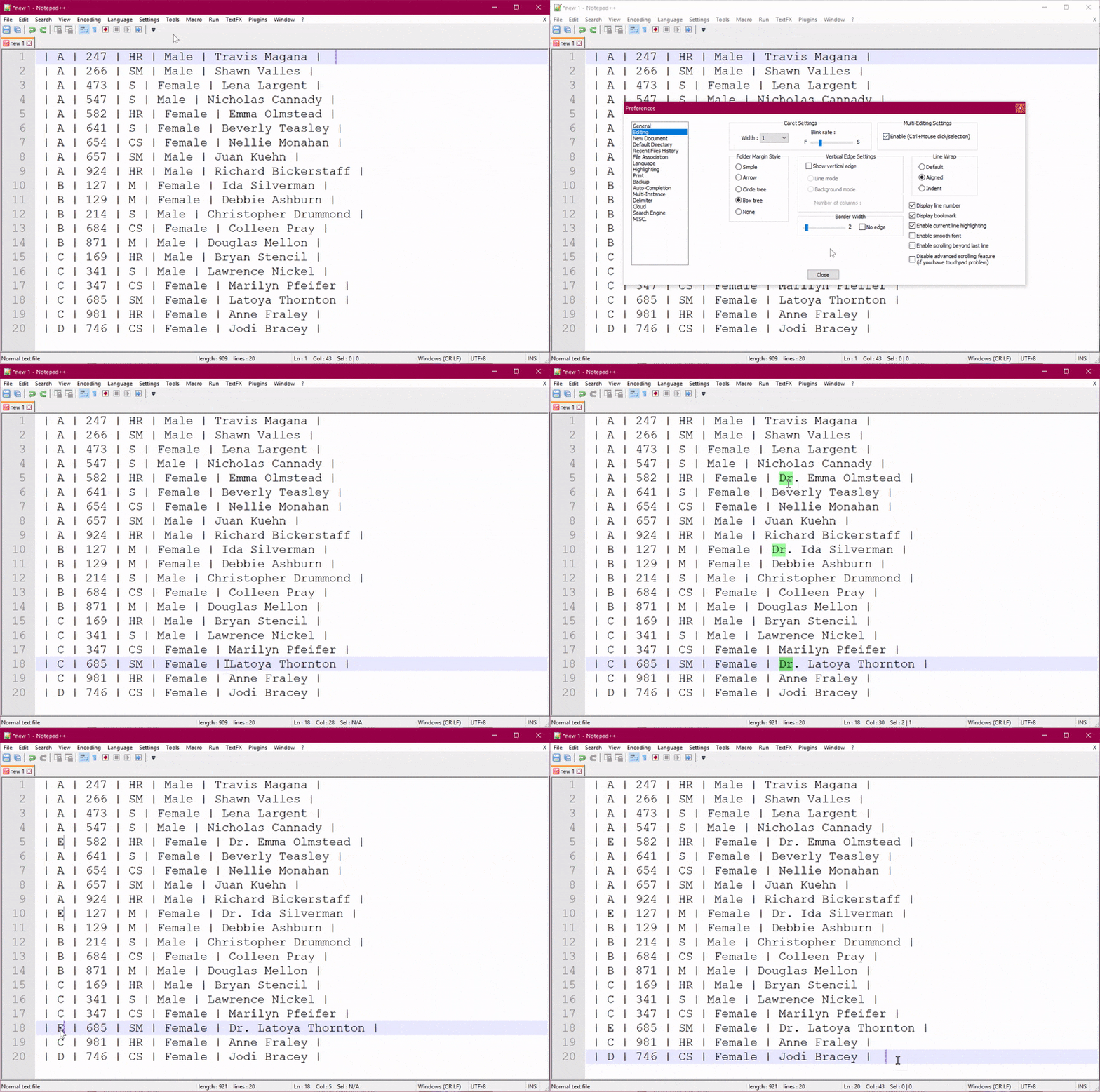
You can use Notepad++ to quickly insert, edit, or delete text in multiple locations in one file - at the same time! All you have to do is enable Multi-Editing, and then hold CTRL while you click or select text. This is a fast and easy way to edit parts of your document in just a few seconds.
If you are using BIDS Helper or BimlExpress to generate SSIS packages in the Project Deployment model, you have probably noticed that it is not possible to create project parameters from Biml. You can write Biml for the project and project parameters, but BIDS Helper / BimlExpress will only generate the SSIS packages for you and not the SSIS project parameters. The recommended solution is that you create the project parameters manually before you generate your SSIS packages from Biml.
(Want to know why? Read Scott Currie’s explanation in my blog post Why can’t I create SSIS Project Parameters from Biml?)
However, if you are a lazy developer like me, you probably don’t want to create and update project parameters manually. Perhaps you want to automatically create or update project parameters based on some metadata? You can do that!
Let’s take a look at a (semi-hardcoded, semi-hack) solution for creating SSIS project parameters from Biml in BIDS Helper / BimlExpress 🤓

Last week I visited Belgium for the first time to attend and speak at my first SQL Server Days 2015. It was a truly great event, and I would like to say a huge thank you to the organizers and volunteers for making it a wonderful couple of days for speakers and attendees!
The venue was spectacular, but unfortunately none of my pictures do it justice. Take a look at the great pictures on the SQL Server Days Facebook page instead. I loved the huge open area in the middle where everyone could meet during breaks, and I was so happy there was unlimited coffee and chocolate! 🤩 The rooms were all unique and fun to present in. One room looked like a library, another like a bar, and I presented in the room that was decorated like a train station - with trains in it!